

Customizable desktop calendar with tasks, notes, alarms, Outlook sync, and convenient network sharing features
Customizable desktop calendar with tasks, notes, alarms, Outlook sync, and convenient network sharing features
Vote (67 votes)
Program license Trial version
Developer XemiComputers
Version 7.96
Works under Windows
Vote
(67 votes)
Developer
XemiComputers
Works under
Windows
Program license
Trial version
Version
7.96
Pros
- Extensive customization options for appearance and layout
- Notes, tasks, and alarms support for organization
- Outlook integration and network sharing capabilities
- Option for reduced-resource text-only mode
- Easy-to-use print and backup features
Cons
- Lacks native web or mobile app support
- User interface feels dated compared to modern applications
- Limited to Windows desktop environment
Customizable desktop calendar with notes, alarms, and Outlook sync
Overview
Active Desktop Calendar is a feature-rich calendar application designed for Windows users who want their schedule accessible directly on their desktop. Combining a traditional calendar grid with advanced options for notes, tasks, and alarms, this tool turns the desktop environment into an interactive organization hub.
Key Features
Highly Customizable Interface
Active Desktop Calendar offers a variety of customization options, enabling users to personalize the calendar’s look and feel to match their desktop wallpaper and personal style. Adjustments include changing calendar icons, fonts, and color schemes, and marking important weekdays or dates with different highlights.
Notes, Tasks, and Alarms
Entries can be assigned to specific days, either as text-based notes or as tasks to complete. Alarm functionality ensures vital reminders are never missed, with customizable alert sounds and notifications.
Outlook and Network Integration
One of its standout features is its ability to integrate with Microsoft Outlook. Appointments, tasks, and reminders from Outlook can be displayed directly on the desktop, keeping everything front and center. Additionally, Active Desktop Calendar supports sharing dates and data with other users on the same network, making it suitable for both personal and small team environments.
Mobile Device Synchronization
Through its Outlook connection, the calendar can synchronize with supported PDAs, ensuring on-the-go access to schedules and tasks for users who rely on portable devices.
Performance and Usability
Active Desktop Calendar is designed to have minimal impact on system performance. For users concerned about resource usage, a text-only mode reduces graphical demands, keeping things lightweight even on older machines.
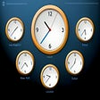
The application provides an easy-to-use print function, allowing users to generate hard copies of their schedules for offline reference. For those interested in global timekeeping, an optional screensaver displays the system time alongside clocks for five key world time zones.
Limitations
While Active Desktop Calendar is powerful for desktop-based organization, it operates primarily as a local solution. Unlike web-based alternatives, it does not natively offer remote access from anywhere or advanced cloud syncing. Given the increasing reliance on cloud calendars, some users may find this a limitation.
Conclusion
Active Desktop Calendar is a practical choice for Windows users who prefer to keep their schedule and reminders accessible on the desktop. Its customization, integration, and reminder features make it well-suited for those seeking a more hands-on, visual organization tool directly within the Windows environment.
Pros
- Extensive customization options for appearance and layout
- Notes, tasks, and alarms support for organization
- Outlook integration and network sharing capabilities
- Option for reduced-resource text-only mode
- Easy-to-use print and backup features
Cons
- Lacks native web or mobile app support
- User interface feels dated compared to modern applications
- Limited to Windows desktop environment


